Specialised domain
Dashboard UX & Data Visualization
Transforming dense enterprise data dumps into clear visual decision engines.
Context
Why it matters.
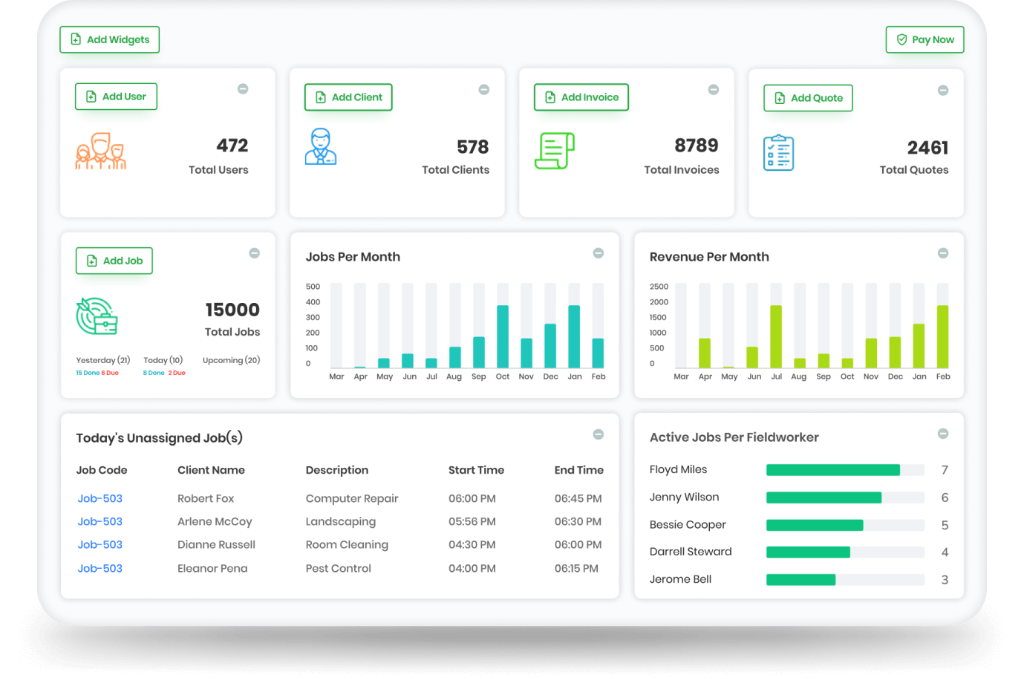
Dashboards shouldn't be vanity metric graveyards. They exist to trigger informed decisions. I architect enterprise dashboards with visual hierarchy, scannable summary cards, customizable data tables, and intuitive drill-down paths that allow executives and operators to spot anomalies in seconds.
Bottlenecks
Friction I solve.
- Preventing cognitive paralysis caused by displaying 40 charts simultaneously
- Designing high-density data tables with bulk actions, sorting, pin columns, and cell editing
- Structuring progressive query filters that adapt to complex boolean parameters
- Ensuring charts are fully legible across color-blind palettes and diverse screen resolutions
Principles
Rules I design by.
- Summary first, zoom and filter, then details-on-demand (Shneiderman's Mantra).
- Every visualization must answer an actionable question: 'So what should I do now?'
- Tables are software: pagination, sticky headers, and keyboard row traversal are mandatory.
Deliverables
What you receive.
- Information Hierarchy & Widget Layouts
- Enterprise Data Table Component Suites
- Multi-Select Filter & Segment Builders
- Color-Blind Compliant Visualizations
Proof
Proven in production.

Reading
Masterclass deep dives.

B2B SaaS8 min read
The 'Pretty Design' Trap: Why Your Sleek, Minimalist Dashboard Is Quietly Killing Retention
White space without hierarchy isn't elegance; it's just empty confusion. Your users didn't open your dashboard to visit an art museum—they came to get their job done and log off.

B2B SaaS8 min read
Cognitive Overload: How to Stop Treating Your B2B Users Like Data-Entry Robots
The 'Airplane Cockpit' syndrome happens when engineers try to give users maximum power by dumping 40 controls onto a single screen. Here is how to tame the chaos.
FAQ
Questions, answered.
How do you decide what belongs on the main dashboard view?
We conduct operator interviews to identify the top 3 decisions made daily. Only metrics directly feeding those 3 decisions make the primary viewport; everything else is accessible via drill-downs.
What makes an enterprise table usable?
Configurable columns, persistent filters, sticky header/row IDs, batch actions, and high cell contrast without decorative padding bloat.